For holiday cottage owners
Holiday cottage welcome book template
You know which gate to use and how the heating works. Your guests are seeing the house for the first time. Give them a welcome book they can use at the door, beside the thermostat and on the morning they leave.
Updated
Copy the cottage welcome book template
Use this as an outline for a printed folder, a document or a digital house guide. Replace each bracketed field with checked details and remove facilities your cottage does not have. No signup is required to copy it.
WELCOME TO [COTTAGE NAME]
Your hosts: [name]. Contact us through [channel], [support hours and time zone].
For help outside those hours: [agreed contact or process].

ARRIVAL
Address and postcode: [verified address]. Check-in: [time and time zone].
Final approach: [landmark, turn, gate and entrance photo reference].
Parking: [allocated spaces, limits and route to keep clear].
Keys or lock: [method and private access-delivery process; no permanent codes here].

WI-FI AND PHONE RECEPTION
Wi-Fi details for your stay: [where the intended guest can find them].
Mobile reception: [verified limitations]. Save [arrival summary] before travelling.

HEATING AND HOT WATER
Controls: [location and photo]. Normal guest operation: [tested short steps].
Hot water: [how the system normally works; any verified timing limits].
If something is not working: [host contact]. Do not adjust [host-only equipment].

KITCHEN AND APPLIANCES
Hob: [simple verified steps and photo].
Dishwasher and washing machine: [controls, supplies and normal use].
Manuals or troubleshooting: [relevant guide section].

FIREPLACE, HOT TUB OR OTHER SPECIAL FACILITIES
Available facilities: [only those included in this booking].
Before use: [location of verified instructions and any agreed restrictions].
If unsure or equipment is faulty: stop using it and contact [host].
Delete this section if these facilities are not available.

HOUSE AND OUTDOOR ROUTINES
Quiet hours and outdoor boundaries: [rules already agreed for the stay].
Pets: [agreed arrangements]. Gates: [which gates to close and how].
Waste: [bin locations, what goes where and collection arrangements].

LOCAL ESSENTIALS
Groceries: [name, location and where to check current opening hours].
Transport or taxi: [verified contact or booking link].
Local suggestions: [a few checked options, with any access limitations].

HELP AND URGENT SITUATIONS
Host contact and backup: [verified channels].
For an immediate emergency: [local emergency service information verified for the property].
Address to give responders: [verified address and any arrival landmark].

CHECK-OUT
Leave by [time and time zone].
Please [short checklist of departure tasks already agreed for the booking].
Keys: [return method]. Confirm departure through [channel].
Last checked by the host: [date].Download a version you can edit
The Word file has space for entrance and equipment photos. The PDF is a printable worksheet. Use the plain-text outline in a notes app or saved document.
Download Word welcome book Download printable welcome book Download plain text
What a cottage welcome book should cover
Put arrival information first, then the details guests need during the stay. Keep recommendations after the essential house instructions.
Rural arrival
The final turn, correct gate, parking and the route to the front door
Entrance photographed from the direction guests approach
Wi-Fi and reception
Where guests find Wi-Fi details and any checked reception limitations
A saved arrival summary if online access may fail
Heating and hot water
Where controls are and how guests use the normal settings
A labelled photo of the installed thermostat
Kitchen and laundry
Short steps for unfamiliar controls and where supplies are kept
Close-up of the relevant button rather than the whole room
Special facilities
Property-specific instructions for facilities included in the booking
The actual fireplace, hot tub or other equipment; no generic operating advice
Waste and outdoor space
Bin sorting, collection arrangements, gates and property boundaries
A bin photo and clear descriptions of outdoor areas
Help
Host and backup contacts, availability and verified emergency information
The address and approach information a responder would need
Departure
Check-out time, agreed tasks, key return and departure confirmation
A short checklist guests can read while packing
Write the final approach, not just the postcode
At a rural property, the useful detail may be the turning after a bridge, which side of a shared drive to use, or a gate that looks like the neighbour's. Verify the map pin, photograph the entrance and describe the route in the order the guest sees it.
If reception is poor at your cottage, send the arrival summary before travel and invite the guest to save it. A browser-based guide needs a connection; a QR code at the house cannot solve getting to the house.
Make heating and hot water instructions specific
A guest needs to know where the thermostat is and which normal controls they can use. A photo with two or three tested steps is more useful than a description such as 'heating is easy to operate'. Explain any verified wait or timer behaviour in your own system.
For a fireplace, hot tub, boiler or unfamiliar equipment, use the instructions that apply to the installed equipment and your property. Identify controls guests should leave alone and a contact for problems. Do not turn a generic welcome-book template into an equipment operating manual.
Example: turn a vague instruction into a useful one
Vague: 'Please recycle and leave the keys when you go.'
Fictional example: 'The blue recycling bin is beside the side gate. Follow the sorting list fixed above it. Before 10 am, leave the front-door key in the agreed return location and confirm departure in our booking message thread.'
Use the same pattern for your cottage: name the place, describe one action and identify how the guest confirms it. Replace the example's bin, time and key arrangement with your own.
Printed folder, PDF or digital cottage guide?
Printed folder
Essential reference once guests are inside, including when reception is weak
It cannot help before arrival; replace pages when details change
An arrival summary guests can save before travel
Downloaded copies remain unchanged when you edit the original
Digital guide
One mobile link with sections you can update for future visits
Guests need browser access; keep a saved or printed fallback where needed
Check your cottage welcome book before the next stay
- Ask someone unfamiliar with the cottage to follow the arrival steps
- Confirm every photo still shows the actual door or appliance
- Try the normal heating and appliance steps yourself
- Test the host and backup contact routes
- Check local links and tell guests where opening hours are maintained
- Remove facilities, rules and timings that do not apply to this booking
- Check that departure tasks match what guests already agreed
- Open the guide on a phone and check a saved arrival fallback
- Review after a lock, appliance, contact or house routine changes
Questions from cottage owners
Is a welcome book the same as a guest book?
Here, a welcome book means instructions for using the cottage. A guest book usually means a place where visitors leave comments. Make the purpose clear so guests can find practical information.
How long should a cottage welcome book be?
Use as much detail as the property needs, but give each section one task. Keep arrival and departure short; put detailed appliance help and local suggestions in their own sections.
Can I use this for a cabin or self-catering holiday home?
Yes. Change the wording and content to match the property. A cabin may need a different final approach, heating system or outdoor guidance; do not keep sections simply because they appear in the template.
Should I include local recommendations?
Yes, after the house essentials. A few checked options with useful location and opening-hours links are more practical than a long list guests cannot verify.
Can WelcomeFlat replace my booking system?
No. WelcomeFlat organises property instructions in a mobile guest guide. Keep reservations, booking changes and urgent conversations in your existing booking and communication tools.
Working fictional demo
Explore the Willow Cottage guest guide
Explore Willow Cottage using the real guest guide interface. The property and images are fictional; the search and room navigation are working product features.
Explore the cottage guide →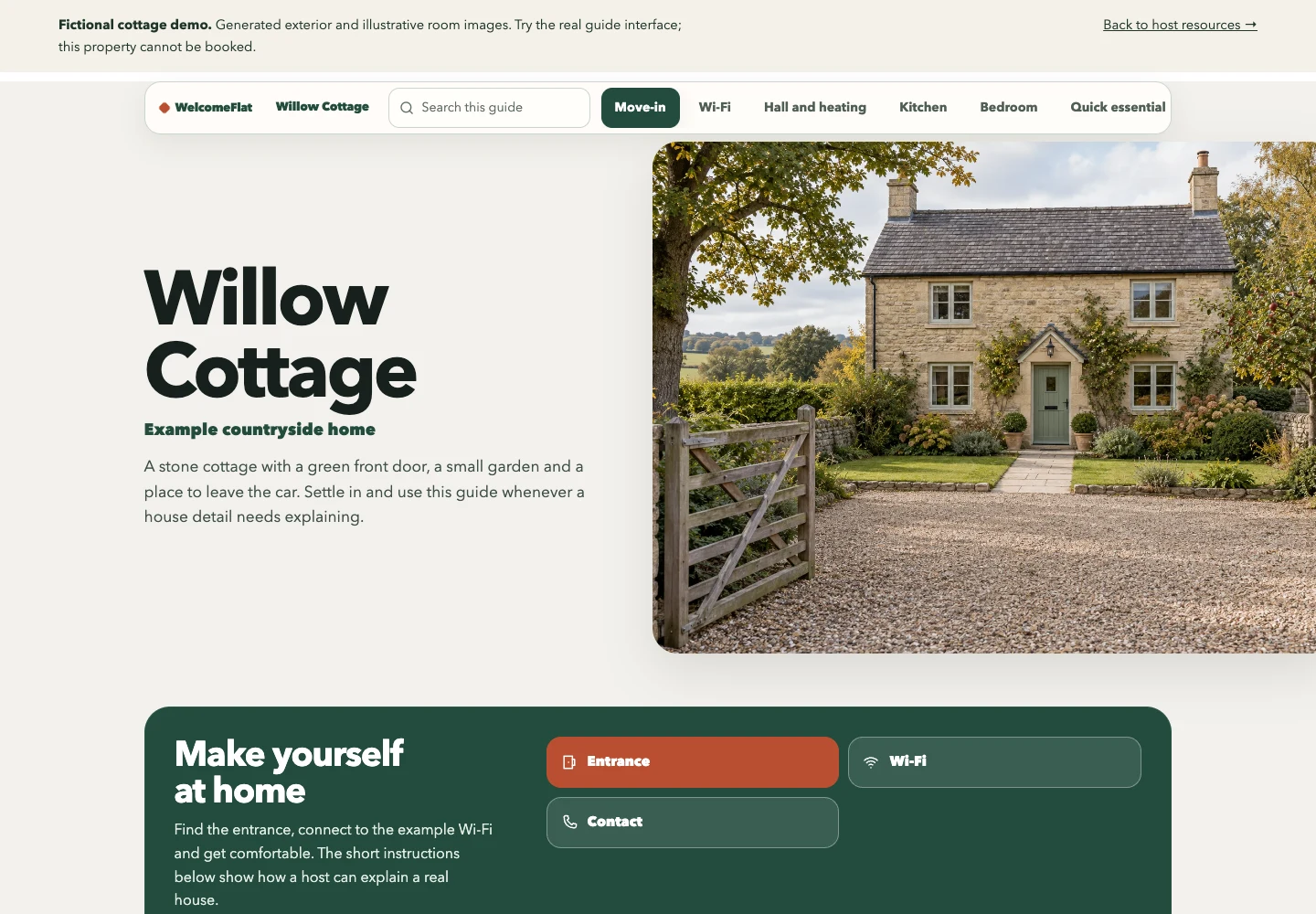
Create one clear guide for your property.
Explore the live demo, then create and share a guide through your WelcomeFlat account.