Free host resource
Vacation rental check-in instructions template
A guest standing at the wrong gate needs the right entrance, not another long welcome message. Copy this arrival template, then use the cottage or villa example to make it specific to your place.
Updated
Free check-in message to copy
No account needed. Replace every bracketed field, remove unused lines and send it only to the confirmed guest. This template covers arrival; keep the longer house manual in your guest guide.
Hello [guest name],

Here are the arrival details for [property name].
Address: [full address and postcode].
Check-in: from [time] on [date], in [time zone].
Please tell us your expected arrival time through [booking message thread].

GETTING HERE
Follow [verified route or map link]. At [landmark], take [turn or entrance].
Park in [allocated space]. Please keep [shared drive or access route] clear.
The entrance is [description matching the arrival photo].

OPENING THE DOOR
Use [key safe / smart lock / in-person handover].
We will send your access details through [agreed private channel] at [confirmed time].
Follow these steps: [short, tested sequence for your actual lock].
If the door does not open, contact [host contact] through [backup contact method].

YOUR FIRST FEW MINUTES
1. Find the lights at [location].
2. Open [guest guide link] for Wi-Fi and heating instructions.
3. Check [essential property-specific detail].

HELP DURING YOUR STAY
Message [contact] through [channel]. Support hours: [hours and time zone].
For an arrival outside those hours, use [agreed out-of-hours contact].
Check-out is by [time and time zone] on [date]. The departure checklist is in [guide section].

We look forward to welcoming you,
[host name]Prefer a file?
Use Word to edit, PDF to print, or plain text for your saved messages. All files are free and require no email address.
Download Word template Download printable PDF Download plain text
What check-in instructions should include
- The confirmed address, postcode and a checked map pin
- Check-in date, local time and any agreed arrival window
- The last turn, entrance photo and allocated parking
- The actual access method, plus when and where private details arrive
- Short steps for the door or key handover
- Lights, Wi-Fi guidance and the first essential action inside
- A host contact, a backup contact and an agreed late-arrival plan
- The guest guide link and a brief check-out reminder
Worked example: arrival at a holiday cottage
Willow Cottage is fictional. This example shows how to describe a rural lane, shared access and a key safe. Replace all example details; it is not a real property's arrival guide.
EXAMPLE ONLY — fictional Willow Cottage

Welcome to Willow Cottage. Check-in is from 4 pm, UK local time, on your arrival date.
We will confirm the full address and your arrival date in your booking message thread.

From the village green, follow Mill Lane to the wooden sign marked Willow Cottage.
Use the gravel entrance immediately after the sign. The entrance photo in your guide
shows the correct turning. Park in the space marked Willow beside the front gate;
please leave the lane clear for neighbouring homes.

The front door is the green door facing the parking space. Your key-safe details
will arrive in the booking message thread before your agreed check-in time.
Follow the key-safe steps supplied with those details and close the safe after use.

The porch light switch is inside the front door on the left. Open the guest guide
for Wi-Fi and the heating controls. Save the route before travelling: mobile reception
on the final lane can be unreliable in this fictional example.

If you cannot find the entrance or open the door, use the host contact and backup
number confirmed in your booking thread. Please tell us which step you have reached.
Departure is by 10 am, UK local time; use the Check-out section in your guide.Worked example: arrival at a villa
Olive Terrace Villa is fictional. Use it to see how a gate, several parking spaces and separate pool instructions fit into an arrival message.
EXAMPLE ONLY — fictional Olive Terrace Villa

Welcome to Olive Terrace Villa. Check-in is from 3 pm, local property time.
Use the full address and map pin confirmed in your booking message thread.

At the stone sign marked Olive Terrace, take the lower driveway to the guest gate.
The upper driveway serves a neighbouring property. Park in the two marked spaces
on the right; the pedestrian entrance is beside them. See the gate photo in the guide.

Use the pedestrian gate and then the front door facing the terrace.
We will send the gate and door instructions privately for your confirmed stay.
Please close the gate after entering. If access fails, contact the host through the
booking thread or use the backup contact supplied there.

Inside, the light switches are beside the entrance. Wi-Fi and air-conditioning
instructions are in the guest guide. Read the Pool section before using that area;
it contains the property-specific arrangements, restrictions and supervision guidance.

Please confirm your expected arrival time in the booking thread. For a late arrival,
ask us to confirm the out-of-hours contact before you travel.
Check-out is by 11 am, local property time. Follow the guide's departure checklist.When to send the instructions
After the booking is confirmed
Confirm the property, check-in time and how the guest can contact you. Ask about arrival plans if you need to arrange a handover. Keep booking changes in the booking conversation.
Before the guest travels
Send the route, parking, entrance photo and guide link early enough for the guest to read and save them. For rural properties, include the final approach instead of relying on a map pin alone.
At the agreed access-delivery time
Deliver the working access details through the channel agreed with the guest. Confirm that codes or keys will work for the stay and that the promised support contact is available.
If anything changes
Update the guide and message the guest directly about changes that affect arrival. Editing a guide is not a substitute for telling someone that their entrance or check-in time has changed.
Test the message before you send it
- Follow the map link and final approach as a first-time visitor
- Compare the entrance photo with the actual door
- Check parking instructions against the guest's allocated space
- Test the lock and the backup contact
- Remove brackets, internal notes and details copied from another property
- Confirm the time zone and late-arrival arrangements
- Read the message and open the guide on a phone
- Provide a saved arrival summary when mobile reception may be limited
Check-in template questions
Can I use this template for Airbnb, Vrbo or direct bookings?
Yes. Adapt it to the property and share it through your existing, permitted guest communication channel. WelcomeFlat is independent of booking platforms; the template does not change their rules or automate delivery.
Should I put the door code in the reusable message?
Keep permanent access secrets out of the reusable version. Deliver working details privately to the confirmed guest using your property's access process.
What should I add for a rural cottage?
Add the final turn, a recognisable landmark, the correct gate, parking, an entrance photo and a fallback contact. Tell guests before travel if they should save directions because reception is limited.
How do I handle a late arrival?
Agree the arrival arrangements in advance, confirm the access method and identify a contact who is available at that time. Do not promise round-the-clock support unless you provide it.
Is this the same as a welcome book?
No. The check-in message helps guests arrive and enter. A welcome book covers the rest of the stay: heating, appliances, waste, house rules, local information and departure.
Live product preview
See how arrival fits into a mobile guide
Explore WelcomeFlat's fictional apartment demo for the reading experience. Use your own cottage or villa photos and verified instructions when building your guide.
Open the full live demo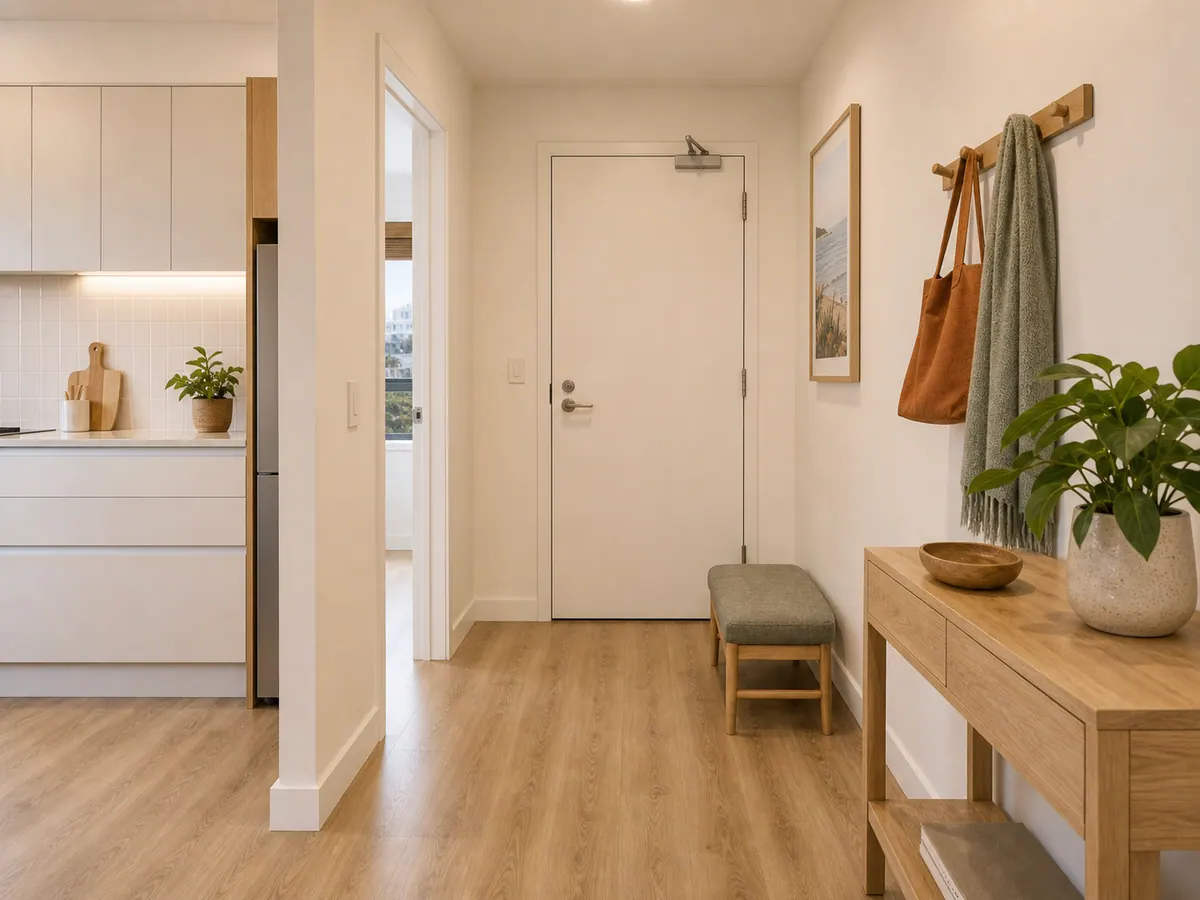
Harbour View Apartment · fictional demo
Arrive without hunting through messages
Find the entrance, arrival window and the next step. Live access details stay outside public content.
Create one clear guide for your property.
Explore the live demo, then create and share a guide through your WelcomeFlat account.